 SproutlyLife
A gentler way to begin
Start with
one tiny step.
Make a hard-to-start task a little smaller. Find your focus, follow your own pace, and let your effort grow into something you can see.
- Small, editable steps
- Focus at your pace
- A garden that waits
ONE SMALL STEP AT A TIME
From “where do I start?” to “I did that.”
Take a little look around. Each part is designed to make the next small action feel more approachable.
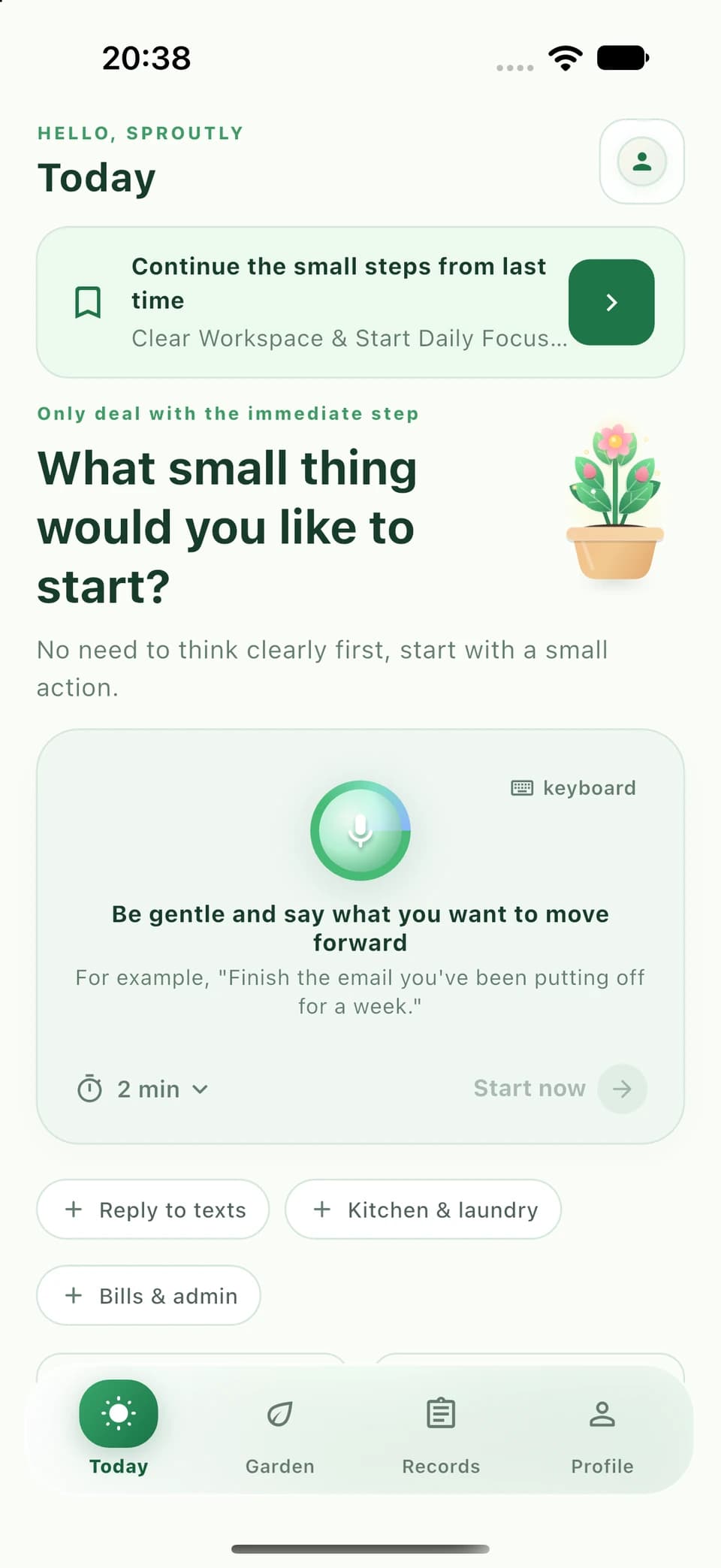
One thing on your mind. A place to begin.
You don’t need the whole plan. Write what you’d like to move forward, or use device voice input when available.
Write your own first step, or choose optional AI help.
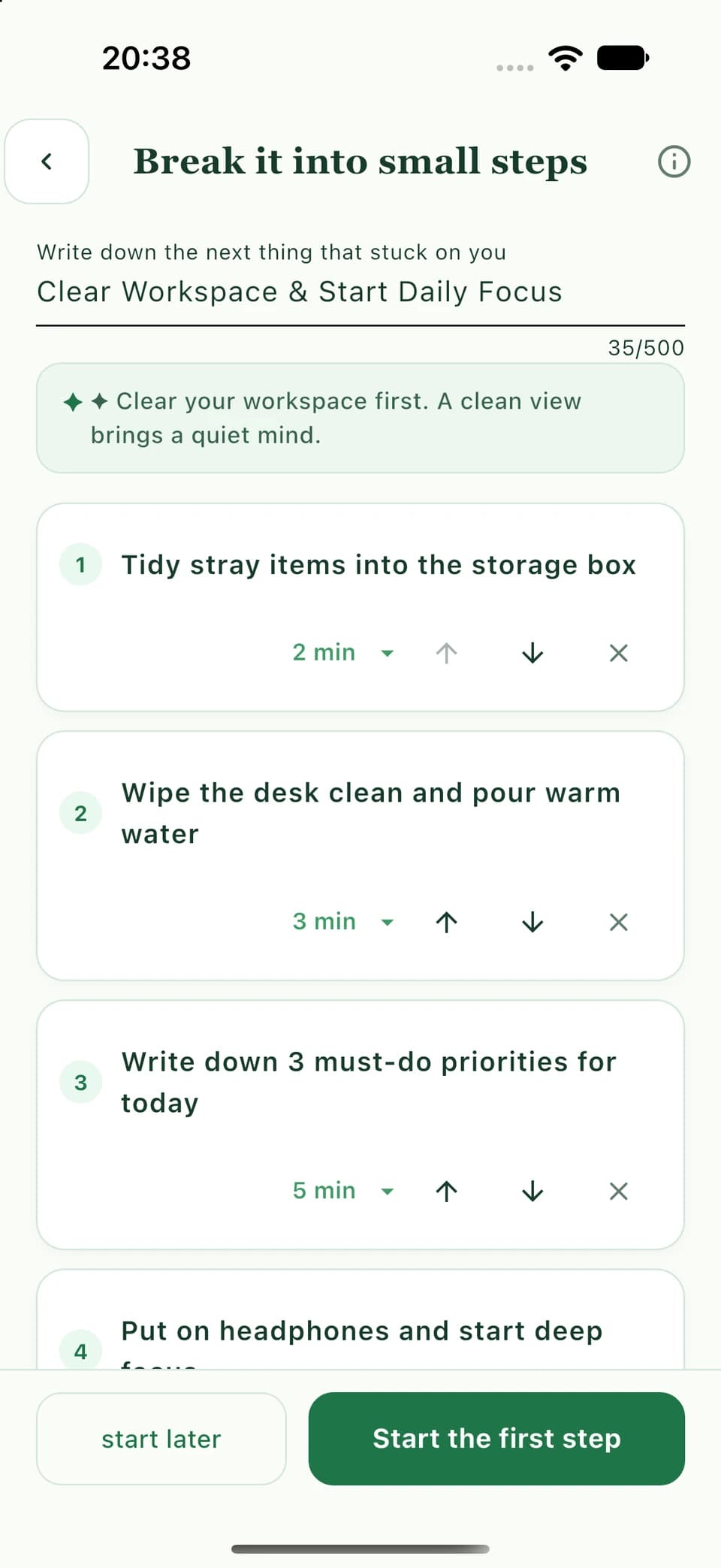
A big task. A much smaller first step.
Turn a task into actions you can actually start. Edit the words, change the time, and arrange the steps to suit you.
AI suggestions are a starting point. Review and edit them before acting.
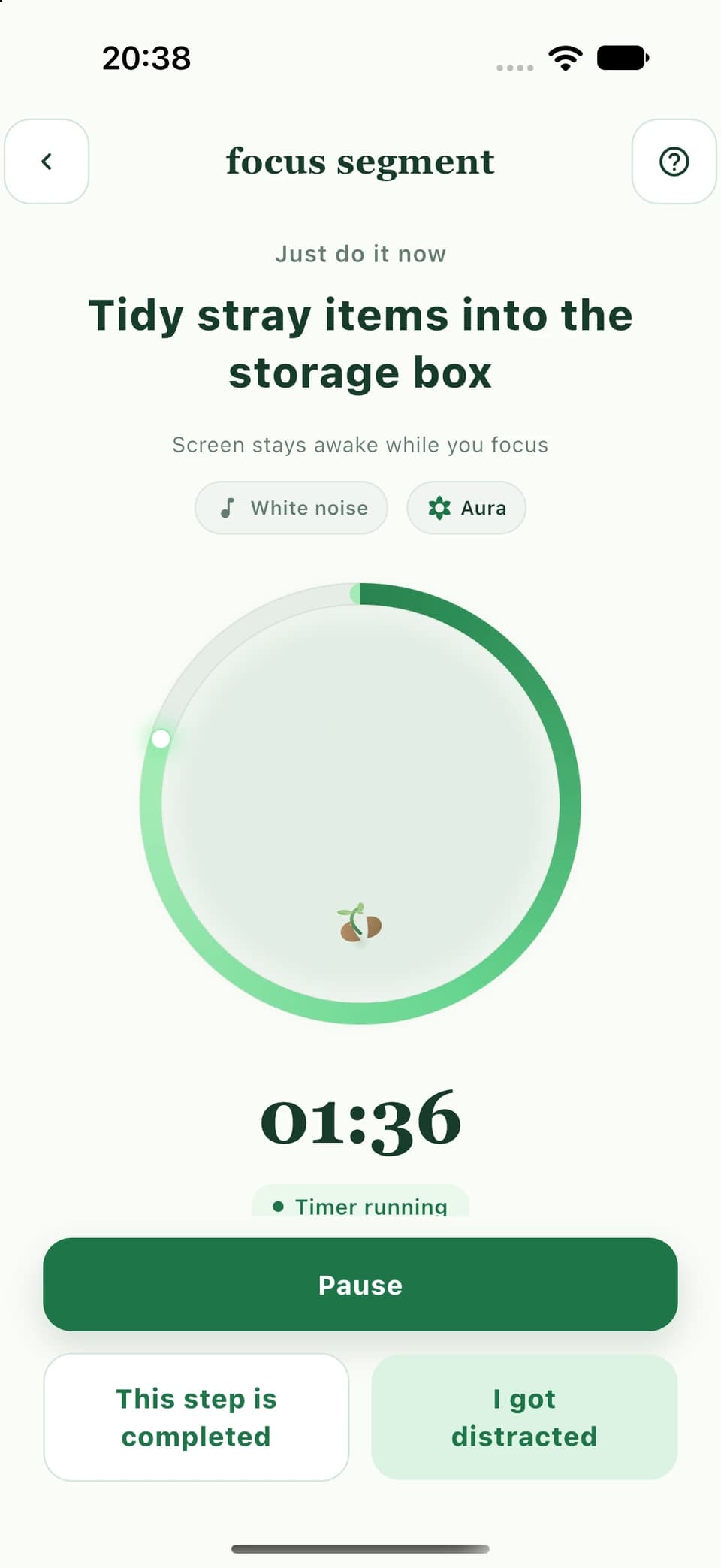
Just this step. Just this moment.
A quiet timer gives your current action some room. Pause when you need to, or use a gentle return when your attention wanders.
No perfect streak to protect. Come back at your own pace.
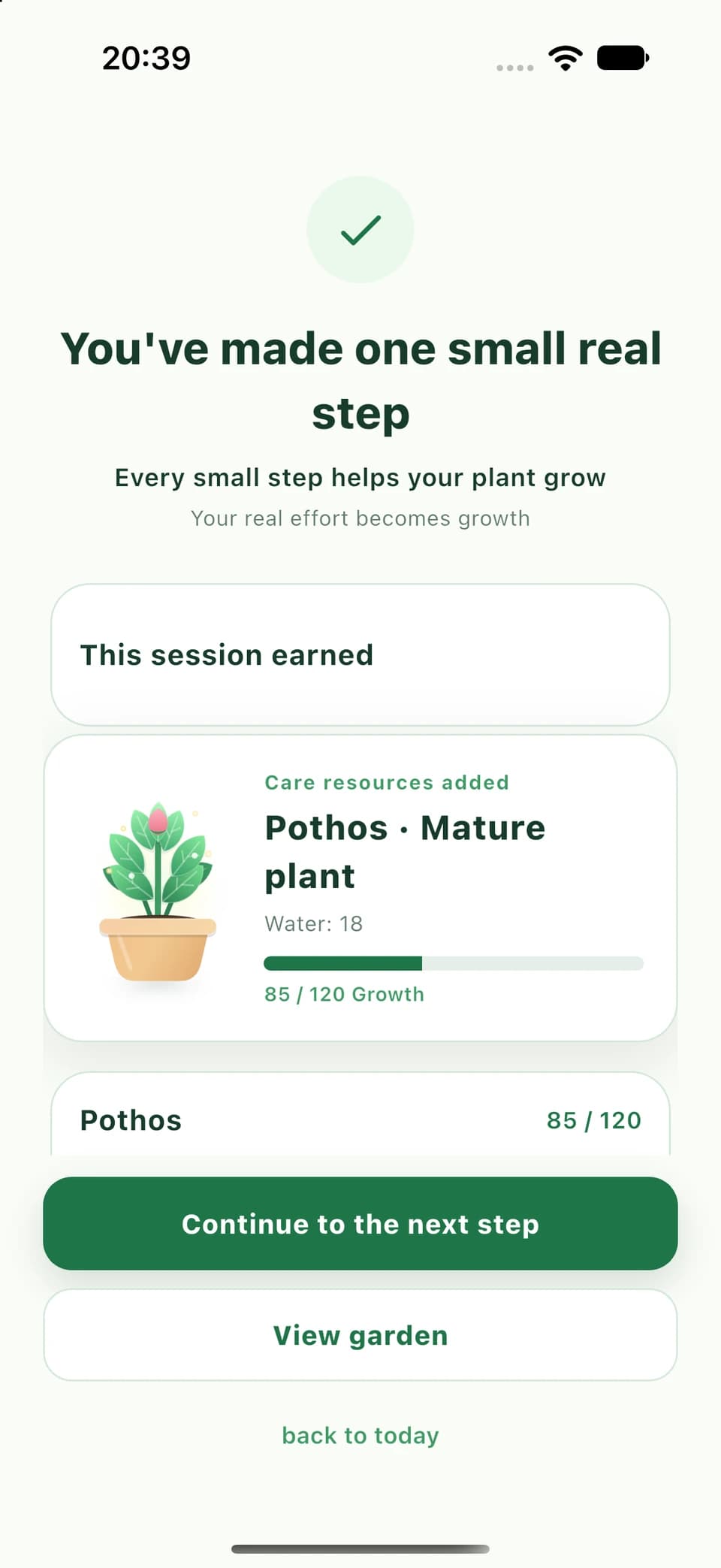
A real little step deserves a little celebration.
When you finish, take a moment to see what you did. Recognized focus progress helps your plant grow, one session at a time.
Keep going with the next step, visit your garden, or finish for now.
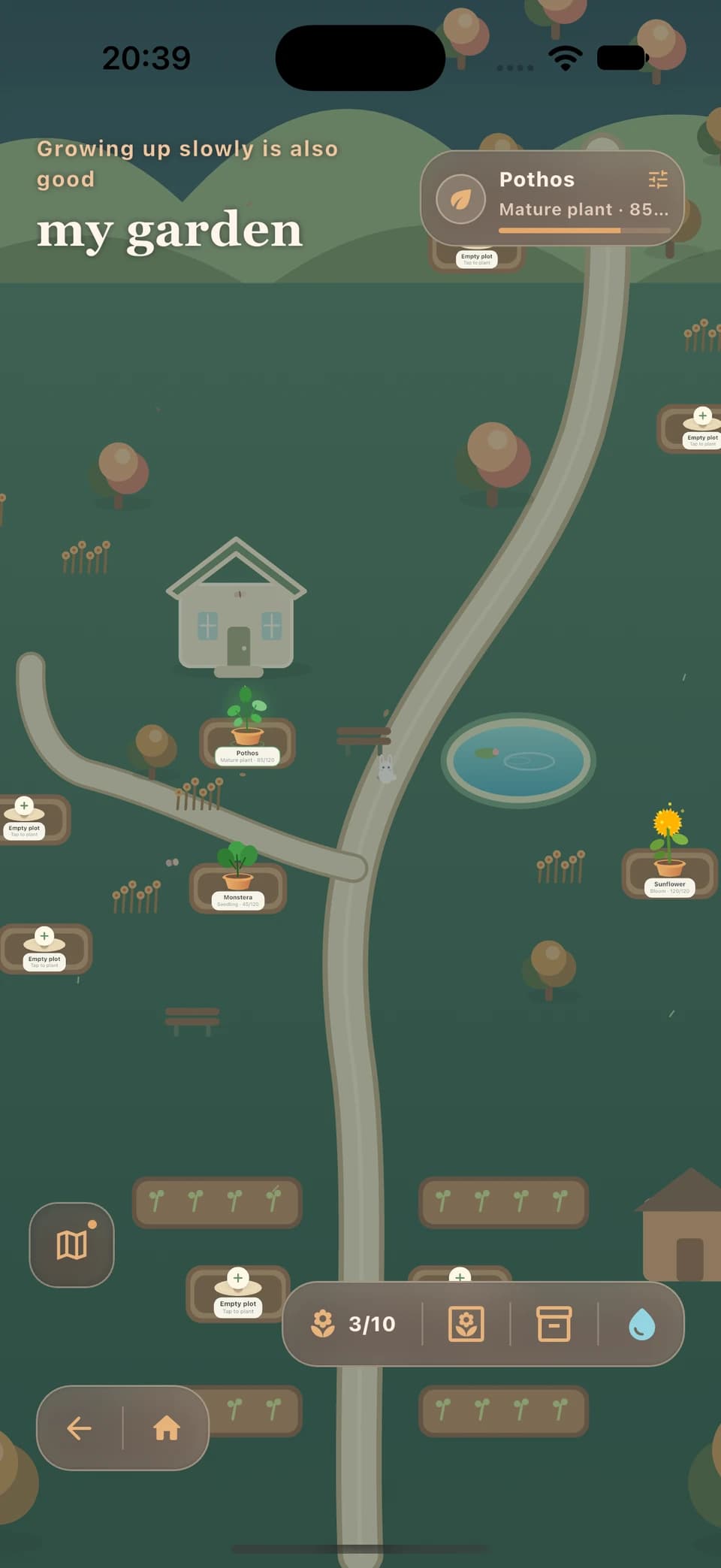
Your effort has a place to grow.
Visit your plants in a quiet courtyard. Let a small collection grow alongside the time you’ve given to yourself.
Plants don’t wither because you took some time away.
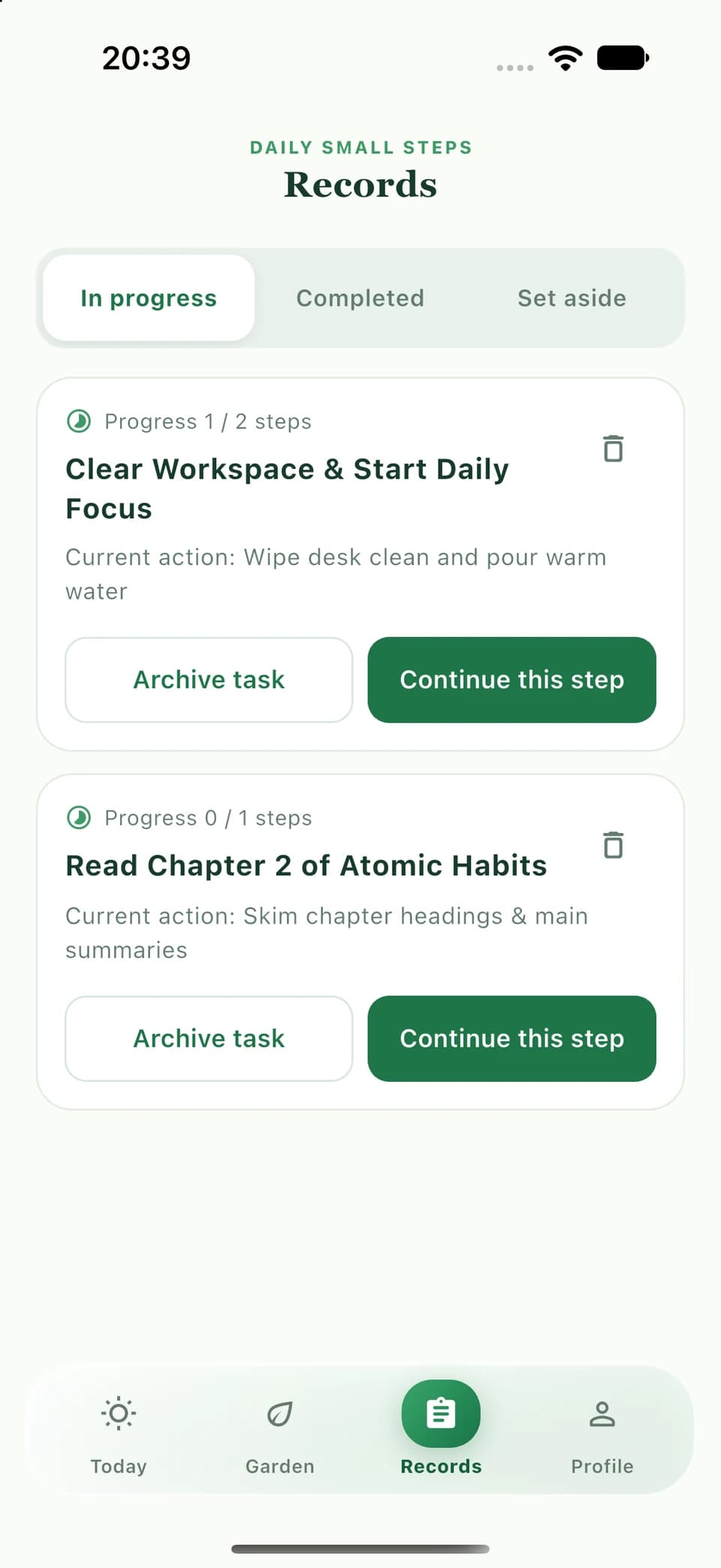
Pick up where you left off.
Find your ongoing tasks and the steps you’ve completed. Continue a small action when you’re ready, or set a task aside.
A record of your effort, without a demand to do more.
A GARDEN THAT WAITS
Grow something gentle.
Every real little effort has a place here. Care for your plants, visit your quiet courtyard, and come back whenever you have room. They won’t wither because you took time away.
- Progress you can see
- A quiet place to return to
- No punishment for taking a break
PICK UP YOUR NEXT STEP
You don’t have to start over.
Your ongoing tasks have a place. Return to a small step, look back at what you’ve finished, or set something aside for another day.
Explore your small stepsA FEW THINGS TO KNOW
A little clarity, before you begin.
Can I write my own steps?
Yes. Write your first action yourself, or edit and reorder a plan. AI help is optional.
How does AI help?
Ask for a smaller, editable plan when you choose to. Only the task you actively submit for AI decomposition is sent for that AI request. AI suggestions can be wrong; review them before acting. Availability and allowances follow the App’s current offer.
What if I get distracted?
Pause, continue, or use a gentle return to your current action. You can also set a task aside. Your plants don’t wither because you’ve been away.
Does everything work offline?
No. AI and current task and focus submissions require an online service and a valid account state. Local records may remain on your device, but don’t assume an unsent change is backed up or available on another device. Check the App for current availability.
Do I need a subscription?
Review the features available in your App. Where store subscriptions are offered, prices, included features, renewal, and cancellation follow the displayed offer and store terms. Deleting an account does not cancel a store subscription.
Where can I manage my data?
Find privacy information and account deletion guidance in the official pages below. Supported export and recovery depend on the current App and account state; a local copy is not a guarantee of backup.
WHEN YOU’RE READY
A small beginning is enough.
Find official store information below. Availability may vary by platform and region.
Download information to be announced
Download information to be announced
For adults 18+. A productivity and self-management tool, not medical care, diagnosis, treatment, or emergency support. AI suggestions are editable and may be wrong.